Easily build great song structure with UJAM instruments
Discover simple techniques for arranging intros, verses, choruses, and breakdowns using MIDI phrase keys and perfomance controls.
March 13th, 2026
Summary: This blog article (with accompanying videos) shows people how they can easily flesh out a song idea with UJAM instruments - series by series - using the built-in functionality for building and changing around song structure.
What’s in it for you?
Great songs need an arc - they draw you in, build the energy, let it drop (which literally has become the thing in electronic music), rebuild, rebuild and then close with a perfectly matching ending. Every UJAM instrument series has the ability to support building song structure via simple key selection, and in this article you’re going to learn how that works for each series. But first let’s take a look at Song Structure as an item.
What Is Song Structure?
In all popular music genres that involve any but only electronic instruments and mostly vocals, the musical arc of a song is called song structure – is usually broken down into the following song parts:
- Intro - leads into the song
- Verse - - lower energy, lyrics introduce and narrate the story of the song
- (optionally) Bridge - leads from the Verse into the Chorus
- Chorus - high energy, lyrics repeat the key message
- Breakdown - a pause that provides surprise and builds tension for the final chorusses
- Ending or Outro - wraps up the song abruptly or with a slower fade-out
A typical song structure for a mainstream, 3-min pop track could look like this:
- Intro
- Verse 1
- Bridge 1
- Chorus 1
- Verse 2
- Bridge 2
- Chorus 2
- Breakdown
- Chorus 3
- Chorus 4
- Outro
Usually, the higher the number, the more energetic or full the part, i.e. Chorus 3 usually has some extra instruments or energy over Chorus 1 or 2.
Apart from harmonies and melody, the song structure is a key element of a great song - song structure can support or destroy. While harmonies and melody set the mood, song structure basically manages the attention span - be it using a logical dynamic arc or total surprises.
Song Structure is a science of itself and we encourage you to research this topic if you feel unsure.
A good place to start if you’re working on a song right now is to look at similar popular songs and replicate their song structure - you can always vary later.
UJAM Instruments and Song Structure
UJAM instruments - particularly in Player mode - are designed to let you build song structure simply by using MIDI keys that select song parts or phrases in ascending order of energy. This makes it also incredibly easy to change your song structure after the fact - simply drag the selector notes in your editor, done.
To create subtler variations without necessarily switching the song parts, all UJAM instruments offer certain variation keys and even allow continuous performance changes using Mod- and Pitchwheel.
More on that as we break this down by series:
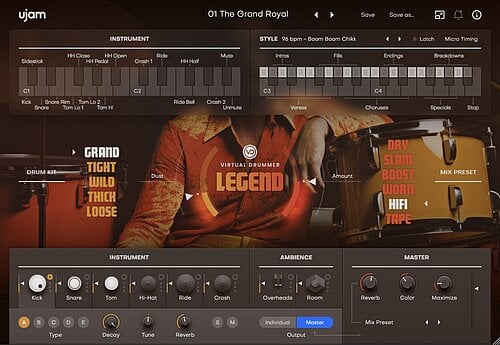
Virtual Drummer, Beatmaker
Both the Virtual Drummer as well as the Beatmaker series offer a fixed MIDI keyboard layout that perfectly supports building song structure.
From the C3 key upwards, you’ll find various intros, verses, fills, chorusses, endings, breakdowns and “special” variations that make building a song structure a breeze. You could exactly replicate the example song structure above just by playing or inserting the respective phrase keys.
Tip 1: The one song part you’re not going to find on the keyboard is the Bridge. A bridge is typically created by picking a higher-energy verse (one or two keys to the right) wrapped up by one of the three fills leading into the chorus.
Tip 2: Both series even allow you to swap any Virtual Drummer track for any Beatmaker 2 track and vice versa, retaining the song structure! It goes without saying that switching the style or even preset doesn’t break the song structure at all.
Tip 3: For continuous variations of dynamics and energy, e.g. for toning things down during a subdued verse or for building towards a more energetic part, use the Pitchwheel (mutes the kick or snare) or Modwheel (varies beat intensity!).
Beatmaker 3
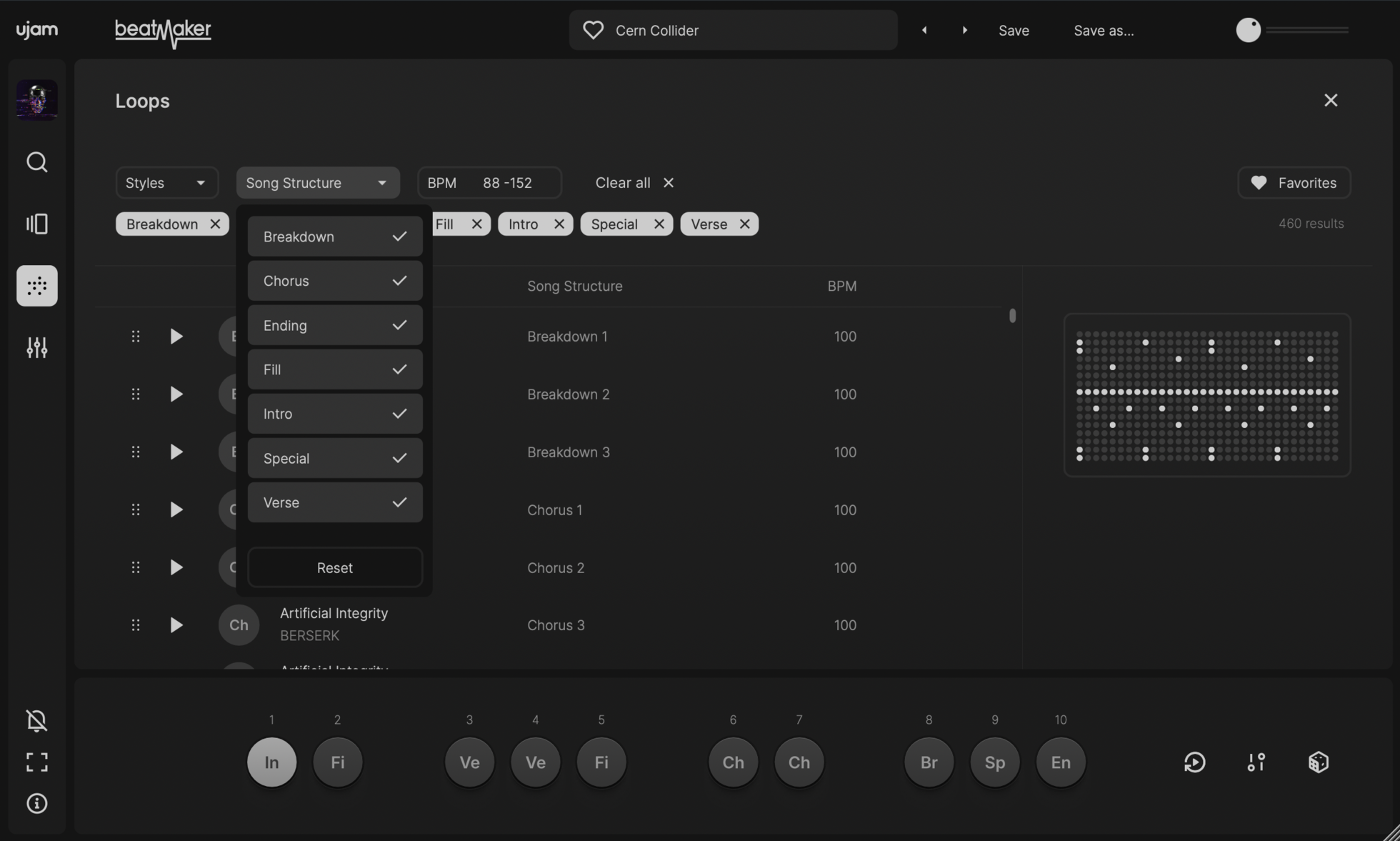
The new Beatmaker moves away from the fixed layout of the on-screen keyboard and allows you to drag loops to any key you want.
Song Structure is written in caps in this new series: The Loop Browser has a dedicated column called “Song Structure”, and all the loops are identified by the song parts described above - so you can browse for different song parts and custom assemble them on the keyboard to your liking.
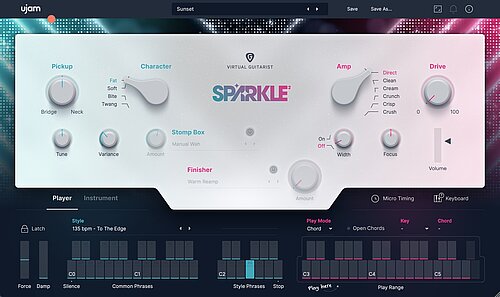
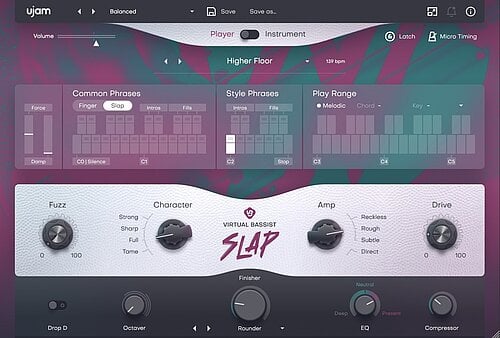
Virtual Guitarist, Virtual Bassist
Unlike drummers or beatmakers, guitarists or bassists don’t have a specific way of playing verses vs. choruses or breakdowns - while the beats build the foundation of the song, it is rather the interplay of all the other instruments that creates the song structure. Virtual Guitarists and Bassists support song structure by controlling the energy of their performance - less or more notes, less or more dynamics.
This is reflected in both series by way of the style phrases - the small, one-octave middle section of the On-screen keyboard in Player mode. Phrases are organized in increasing energy from left to right, so in a super-simplified world you just pick a phrase further right when going from verse to chorus.
Tip 1: All Virtual Guitarists and Bassists feature over 20 so-called “common phrases” that work for any style - they are also a rich arsenal of options for creating song structure, particularly the intro, breakdown and fill parts!
Tip 2: Try the Modwheel for palm muting (like guitarists do by pressing the palm of their strumming hand against the strings) - this is an additional element for varying the energy within a certain song part.
Virtual Pianist
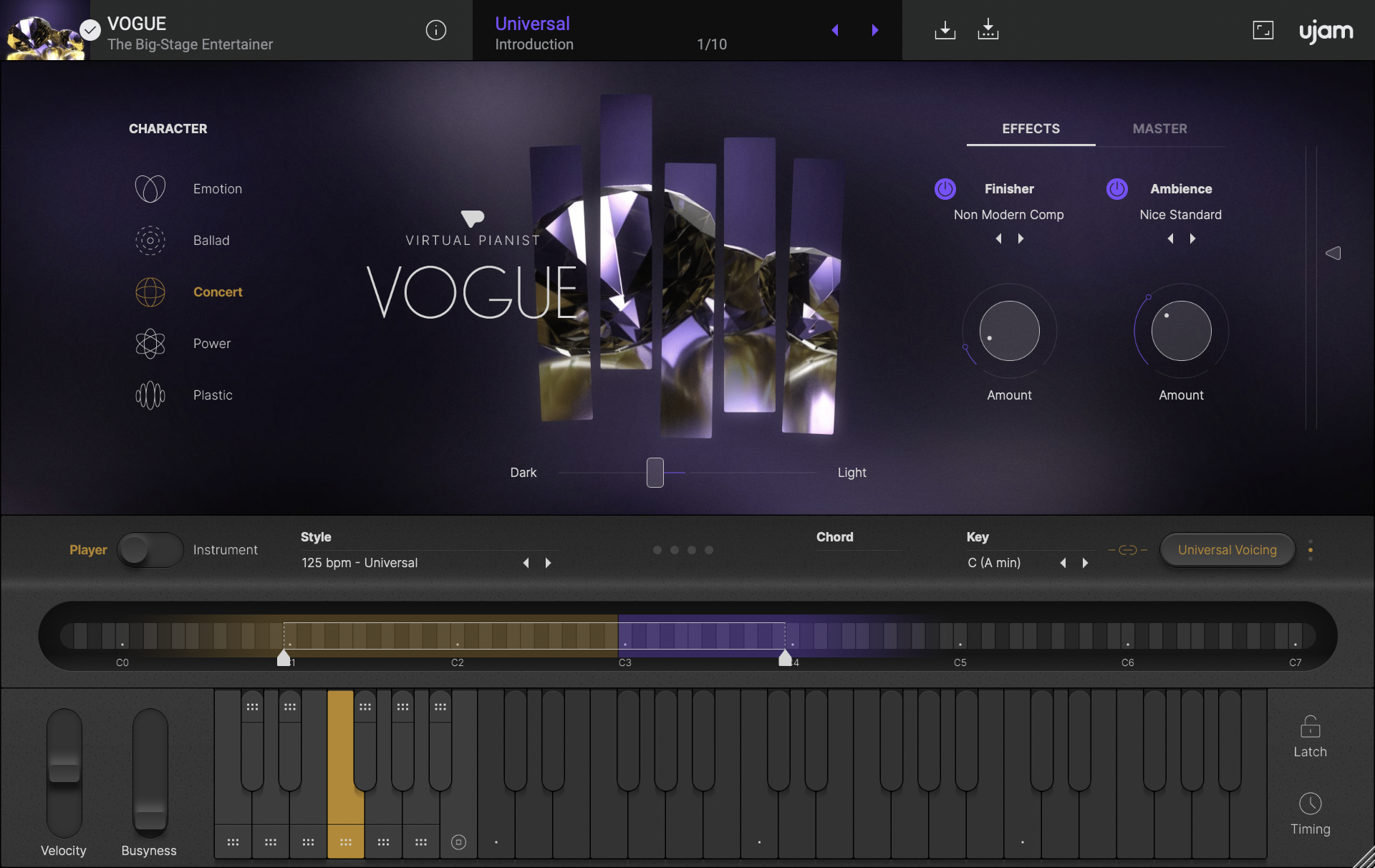
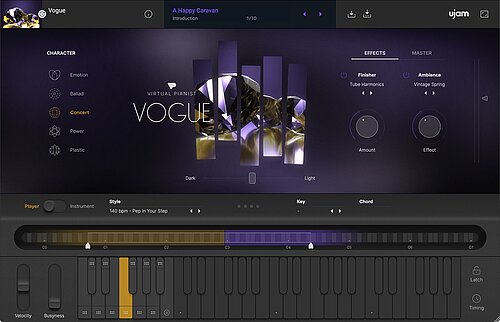
The Virtual Pianists support song structure in a way that considers the piano being a two-handed instrument that sometimes supports whole parts of the song. Like the Guitarists and Bassists, the Pianists offer an octave with style phrases of ascending energy - here at the left end of the on-screen keyboard. In Virtual Pianist though, there are a few more things worth knowing:
- The left three phrases (C2, D2, E2) are all right-hand only, while the right ones are complete accompaniments that can carry a song even with no accompaniment (a vocal intro)
- You can vary song parts significantly by using the Pitchwheel for dynamic control and the Modwheel for adding “busyness”, a clever articulation that makes the player sprinkle in more and faster notes.
- Pretty hidden but incredibly powerful: You can record and automate movements of the low- and high range sliders above the on-screen keyboard, e.g. to go from a subdued to a full-on verse without even changing the pattern.
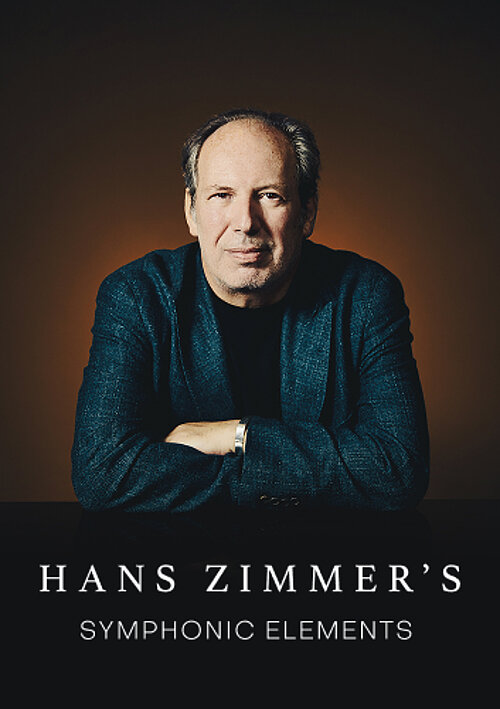
Symphonic Elements
Symphonic Elements is the only series within the UJAM catalog that is comprised of different instrument categories, and therefore the way of controlling song structure is slightly different, as are the number of phrases available within one style - e.g. Drums can offer more selector keys because no keys need to be dedicated to a chord playing range.
But ideas and concepts are nonetheless consistent with all the other series, and it won’t take any learning curve here if you’re already familiar with other UJAM instruments:
- All Symphonic Elements instruments feature a phrase range with increasing energy from left to right.
- Here, phrases are usually laid out on the white keys while extra additions and variations are available on the black ones.
- The Pitchwheel always allows you to blend between the low and high sections within the instrument, while the Modwheel allows you to turn down the energy temporarily
Usynth
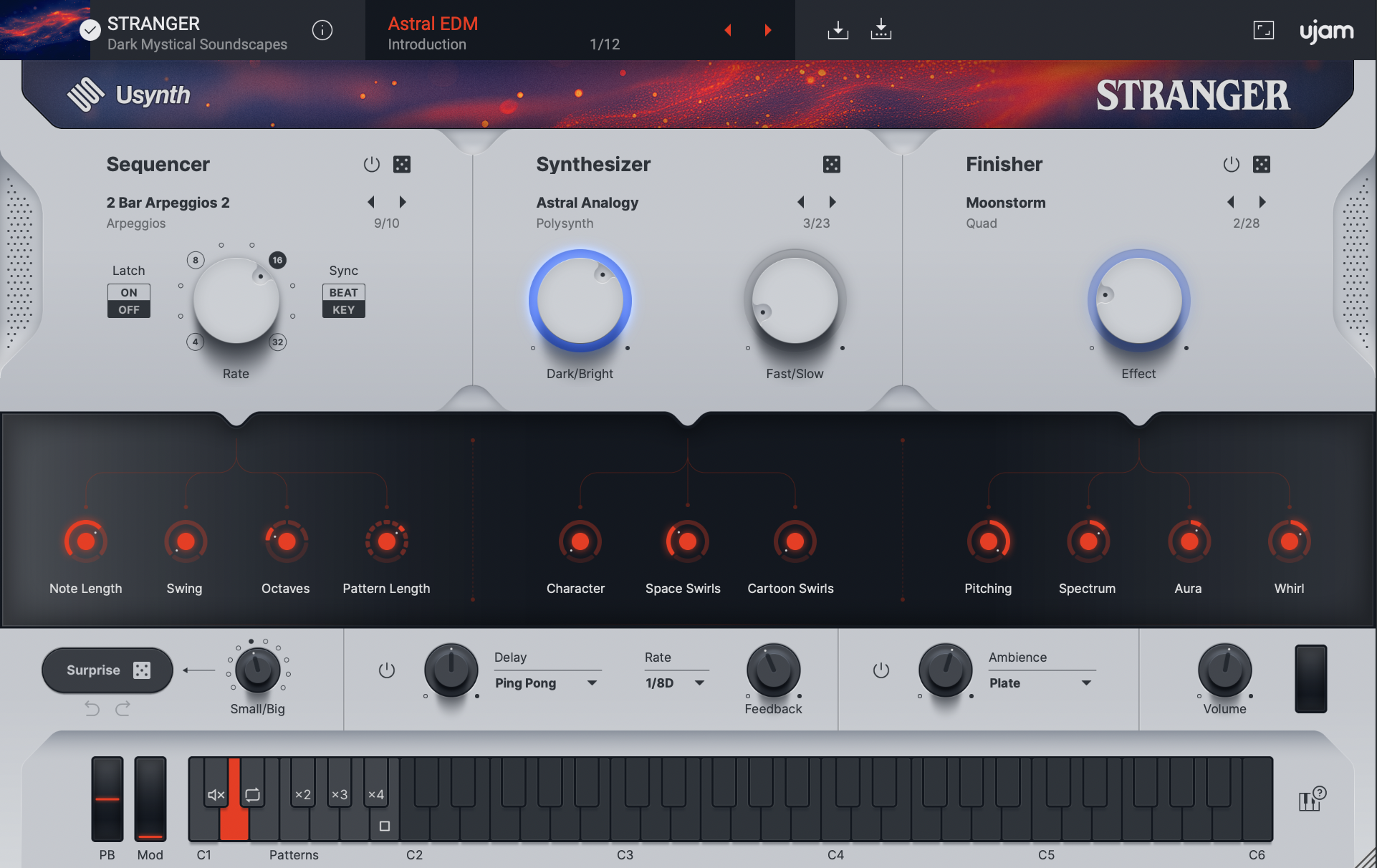
Usynth is slightly different from our other series in that it doesn’t heavily rely on a Player mode, i.e. it doesn’t offer a real musician, but an instrument. So how it responds to or supports song structure depends on what you play on it.
That said, the Sequencer in Usynth does, of course, follow the same basic concept as our instruments in that when you activate it, the left end of the keyboard changes to a phrase octave - the white keys representing phrases that - you guessed it - become more intense as you go upwards, and the black keys offering variations.
So when you add Usynth to a song with a certain song structure and you want it to play say a basic chord phrase, start on C1 for the intro and go up as the song builds.
Wrap-up
We hope this article has inspired you to make song structure an active part of your song ideation process. Let us know how you do or ask us for any other topics you might like to see covered - just write us a direct message on social media or join the UJAM discord channel – we’d love to hear from you!

Stay up to date
Sign up and we’ll send you an e-mail with product news and helpful stuff every now and then. You may unsubscribe at any time.
Defy Limits
We develop software solutions that enable people to create, consume and interact with music.
About UJAM
UJAM is a German-American maker of music technology co-founded by Hans Zimmer and Pharrell Williams that develops Virtual Instrument and Effects Plug-ins. With the Plug-in series Virtual Pianist, Usynth, Groovemate, Symphonic Elements, Virtual Guitarist, Virtual Bassist, Virtual Drummer, Beatmaker and Finisher and a range of software solutions (desktop, mobile, web), UJAM helps people to make music.