Can’t play guitar? Wrong!
Learn how to use UJAM’s Instrument Mode to play, record, and edit your own unique guitar styles in under 10 minutes.
January 20th, 2026
Summary: This article shows people how they can play our Virtual Guitarists like a real rhythm guitar - playing the individual strings and different strums. For users who want to go beyond the styles included with the Player - this is the mode that allows them to record and edit their own guitar performances. It just takes any Virtual Guitarist and 10 minutes of practice to create rhythm guitar styles that match any song perfectly.
What’s in it for you?
If you can’t play the guitar, it’s difficult to get the rhythm guitar tracks in your head for your tracks - you’d have to find a guitarist, or you could use one of the many virtual guitar plug-ins out there. But what if you have a concrete idea in your head that you want to record like now, at 3 a.m. in the morning? There is a super simple solution and it’s a bit hidden in UJAMs virtual guitarist plug-ins - these allow you to play actual rhythm guitar with two hands on a keyboard - or click those notes into an editor - and this way create your own individual rhythm guitar styles.
Fun fact: Since this is exactly the way UJAM styles are built too, you can use this trick to create your own guitar performances just like the actual styles do.
This article will show you how easy and fun this is. Read on if you want to create your first own rhythm guitar track, in three easy steps, in less than 10 minutes!
Step 1: Set up your Virtual Guitarist
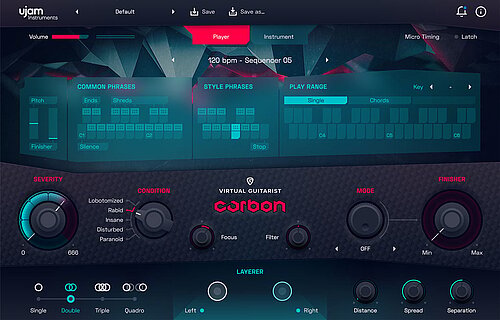
This works for all Virtual Guitarist plug-ins - IRON2, SPARKLE2, AMBER2, SILK2, but is a little different for CARBON.
If you don’t have a Virtual Guitarist plug-in yet, we got you covered. Just head over to the UJAM Virtual Guitarist series page to download a free, fully functional trial
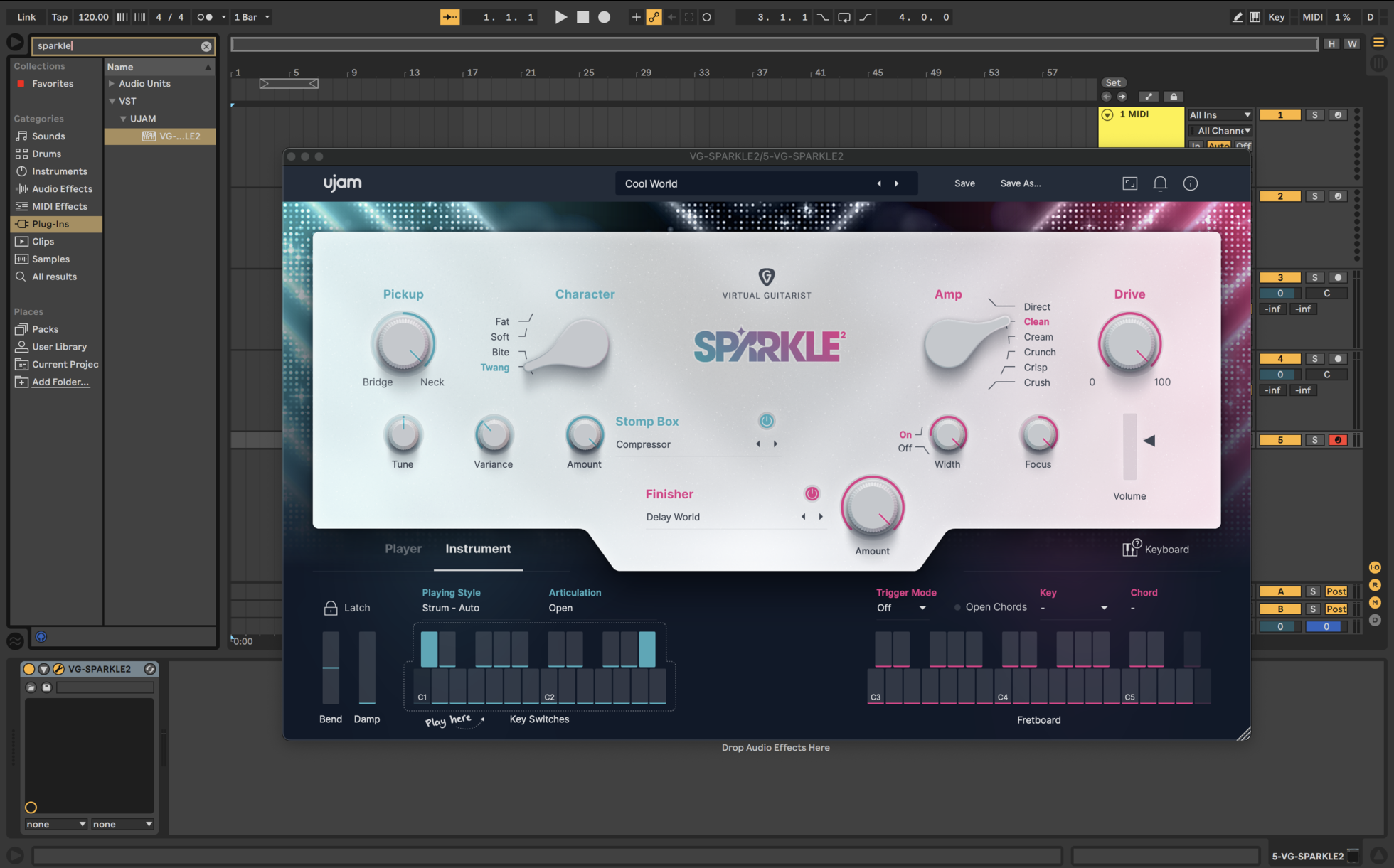
- Load your favorite Virtual Guitarist and find a preset that sounds right for your song.
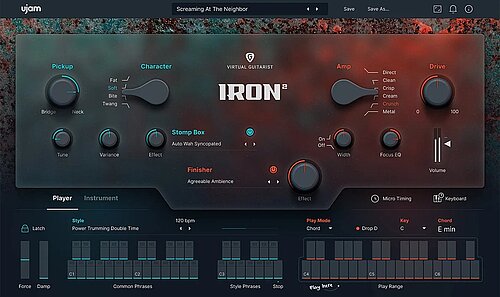
- Switch your Virtual Guitarist to Instrument Mode by clicking the label "INSTRUMENT" in the bottom left of the user interface.
Step 2: Just play
Before we go into how exactly this works, a quick teaser:
- Make sure Trigger Mode (right under the Finisher Amount knob) is set to Off for now.
- Hold (and keep holding) any key (ideally three or four for a full chord) upwards from C3 - this range is labeled fret board or key range on the user interface.
- For a full open strum, hit the Bb2 key
- To play individual strings, play the keys C2 to A2, any way you like.
- Last, alternate between the keys F#2, G#2 and Bb2 to create a strummed pattern.
Actually, that’s all you need to start creating your own Virtual Guitarist styles by recording what you play live.
Step 3: Master basic playing technique
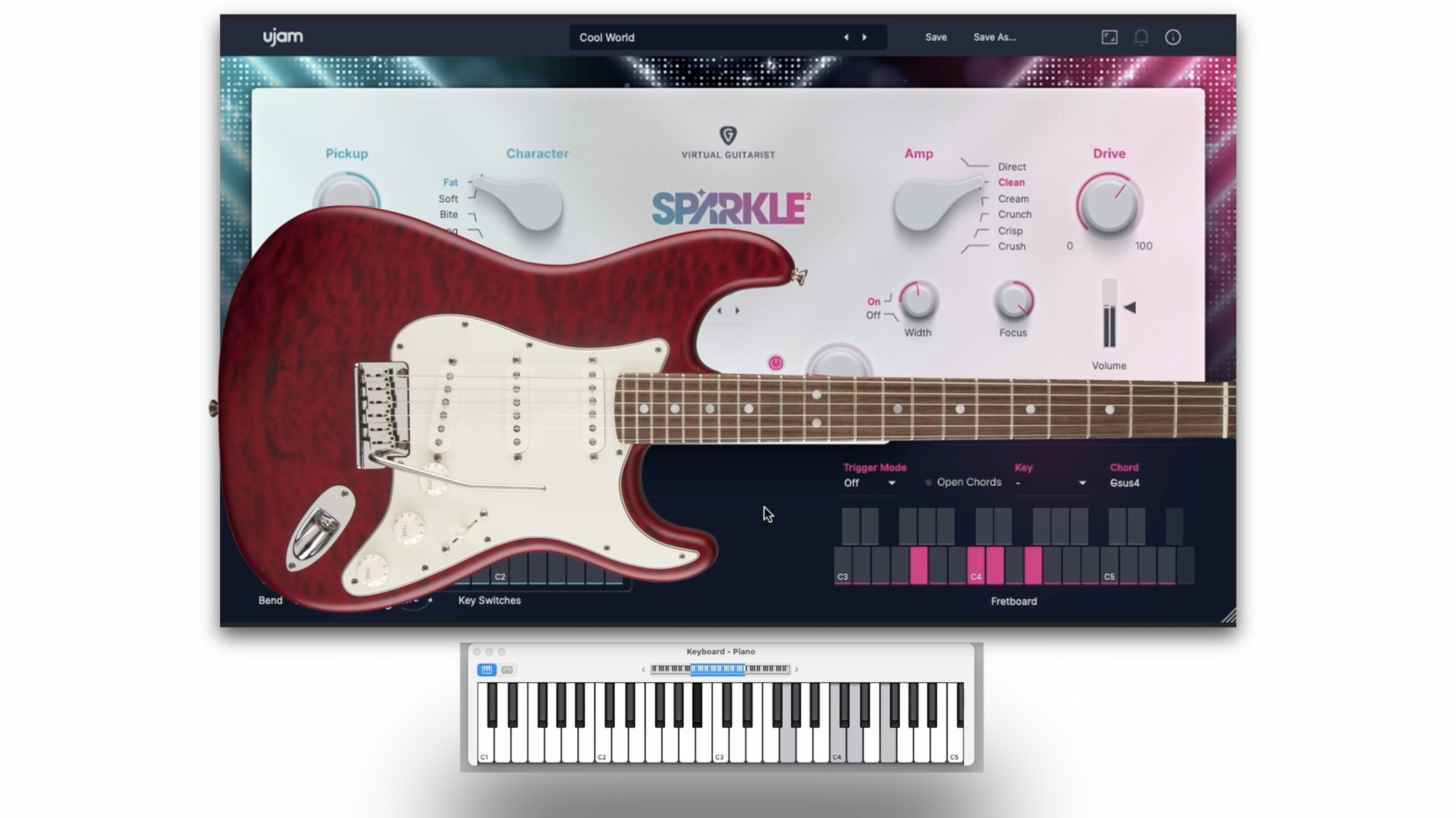
The way this works is that the left half of the on-screen keyboard represents the right hand of a (right-handed) guitarist – the one that picks and strums – whereas the right half represents the left hand that defines notes and chords by finger presses between the frets.
- Click the little “keyboard” label over the right end of the on-screen keyboard to show a full layout. It will reveal which kinds of strums, picks and articulations you can play just by exercising you left hand on the keyboard - or - of course - by inserting these notes into your editor any way you like.
For the playing techniques, you only need to know three things:
- The “white” keys C2 to A2 represent the six strings of the guitar. They don’t work like keyboard keys exactly, but depending on the chord you play on the right half, automatically create a realistic guitar voicing - something that keyboard players always struggle with when playing guitar on a sampler instrument.
- The three black keys F#2, G#2 and Bb2 represent full strums from muted to half-muted to open.
- With muted, half-muted or open pre-selected, you could just keep hitting B2 for automatic up- and down strumming.
- Pro Tip for skilled keyboardists: All those keys are velocity-sensitive - i.e. by hitting on-beats harder and offbeats a little softer, you can create stunning dynamic expression within your performances.
Getting faster
You don’t need to know more than that to create very realistic rhythm guitar performances.
Here’s how you can practice getting faster, so you can play rhythms intuitively even if you’re not a great keyboard player. All exercises assum you’re holding a chord on the right keyboard half:
- Basic patterns: Put the ring finger of your left hand on F#2, middle finger on G#2, index finger on Bb2, thumb on B3. Now play arpeggiated patterns with those four fingers. Don’t think - let your intuition take over. That’s already enough for cool strummed patterns.
- Basic arpeggios: Hit Bb2 once to select “open” strings. Now play arpeggios on the “white” keys from C2 to A2 to create beautiful finger pickings, or “roll” your hand from left to right or vice versa for custom strums.
- Advanced: Now combine the two techniques for more complex patterns where you alternate strums with individual strings.
- Advanced 2: Go entirely free combining strums, strings and also muted and half-muted individual strings.
If you practice this for 5 minutes a day (more isn’t more here), you’ll become a proficient virtual rhythm guitarist in no time.
Have fun!
Stay up to date
Sign up and we’ll send you an e-mail with product news and helpful stuff every now and then. You may unsubscribe at any time.
Defy Limits
We develop software solutions that enable people to create, consume and interact with music.
About UJAM
UJAM is a German-American maker of music technology co-founded by Hans Zimmer and Pharrell Williams that develops Virtual Instrument and Effects Plug-ins. With the Plug-in series Virtual Pianist, Usynth, Groovemate, Symphonic Elements, Virtual Guitarist, Virtual Bassist, Virtual Drummer, Beatmaker and Finisher and a range of software solutions (desktop, mobile, web), UJAM helps people to make music.